Multiple Development Environments in React (CRA)
I am a developer at Surya Digital.
Environment Variables in React
Environment variables are variables which are present outside the project and embedded into the project during build time. The CRA generates static HTML/CSS/JS bundles, hence it cannot read them at runtime.
Note: Environment variables are explained for React project created using
create-react-app.
Benefits of Environment Variables
Hide Sensitive Information in Code
A project can have sensitive information which cannot be shared by another person and can be potentially misused. A few examples of sensitive information are secret or private keys for an API service like Firebase, MailJet and other services which can be used in the project.
Configure Multiple Development Environments
We require multiple environments like development, production, test, and UAT. Each environment can have a different configuration for various features like Database, deployment URL, and secret keys for various services.
Create Custom Environment Variables In .env
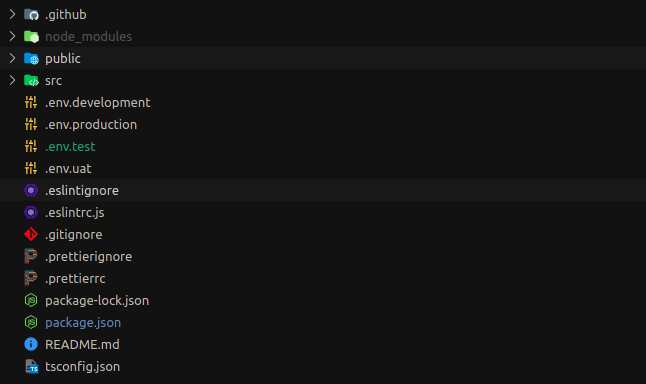
We can define the environment variables for react project by creating a .env file at the root of the project.
All the environment variables should always start with REACT_APP_, Otherwise it will be ignored.
Note: The development server must be restarted after changing the
.envfiles. Similarly, the code needs to rebuild to update the build code with new environment configuration changes.
There is an example of a .env file.
REACT_APP_PROJECT_TITLE = React Project - Dev
REACT_APP_API_CLIENT_BASE_URL = https://api.dev.project.com
Access Environment Variables
HTML (public/index.html)
Add % before and after the environment variable name to access the value.
<title>%REACT_APP_PROJECT_TITLE%</title>
JavaScript / TypeScript (.js, .jsx, .ts, .tsx)
const baseURL = process.env.REACT_APP_API_CLIENT_BASE_URL
Variations of .env
The selection of environment files changes depending on the script used in React project. The priority of environment files decreases from left to right.
npm start
npm start runs the app in development mode.
.env.development.local, .env.local, .env.development, .env
npm run build
npm run build builds the app for production to the build folder.
.env.production.local, .env.local, .env.production, .env
npm test
npm test runs the app in test mode.
.env.test.local, .env.test, .env
Local variations of
.envwhich are.env.local,.env.development.local,.env.test.local,.env.production.localshould not be source controlled.
Custom Build Scripts for Other Environments
By now, we know that CRA provides to have development, production and testing.
Here are a few scenarios where you would need to create custom scripts.
Configure a new environment which is not available in predefined variants.
Choose which environment files to use to generate build code.
Use a different name for the environment files other than the predefined variants.
This problem is solved by using an NPM package
env-cmwhich allows the creation of scripts using an environment from a.envfile.
Install env-cm NPM package
npm i env-cmd
Create Environment Configuration for UAT
Let us assume I have a new environment called UAT. First, we have to create .env.uat file.
REACT_APP_PROJECT_TITLE = React Project - UAT
REACT_APP_API_CLIENT_BASE_URL = https://api.uat.project.com
Create scripts in package.json
The command to run a script with a preferred environment fileenv-cmd -f <ENVIRONMENT-FILE-NAME> <SCRIPT-TO-RUN>
The scripts in the below code snippet are used to create an optimized production build using the respective environment files.
"build:development": "env-cmd -f .env.development react-scripts build",
"build:production": "env-cmd -f .env.production react-scripts build",
"build:uat": "env-cmd -f .env.uat react-scripts build",
Generate Build Code for UAT environment
npm run build:uat
Run build code
npm install -g serve
serve -s build